 ZeroFee
Trade on Axiom.
Pay zero fees.
ZeroFee puts a buy and sell panel on Axiom and sends every trade through your own wallets in the ZeroFee bot. The platform fee is not charged, and ZeroFee charges nothing.
Three steps, then trade as usual.
The bot holds your wallets, the extension sits on the trading page. The key you paste in the extension can trade, nothing more.
Open the bot
Start @zerofeeninjabot in Telegram. A Solana wallet is made for you: send SOL to it, or import yours.
Add the extension
Download it, unzip it, and load the folder in Chrome or Brave: chrome://extensions, Developer mode, Load unpacked.
Paste your key
In the bot, Extension, Make my key. Paste it in the extension, open a token on Axiom: the panel is there.
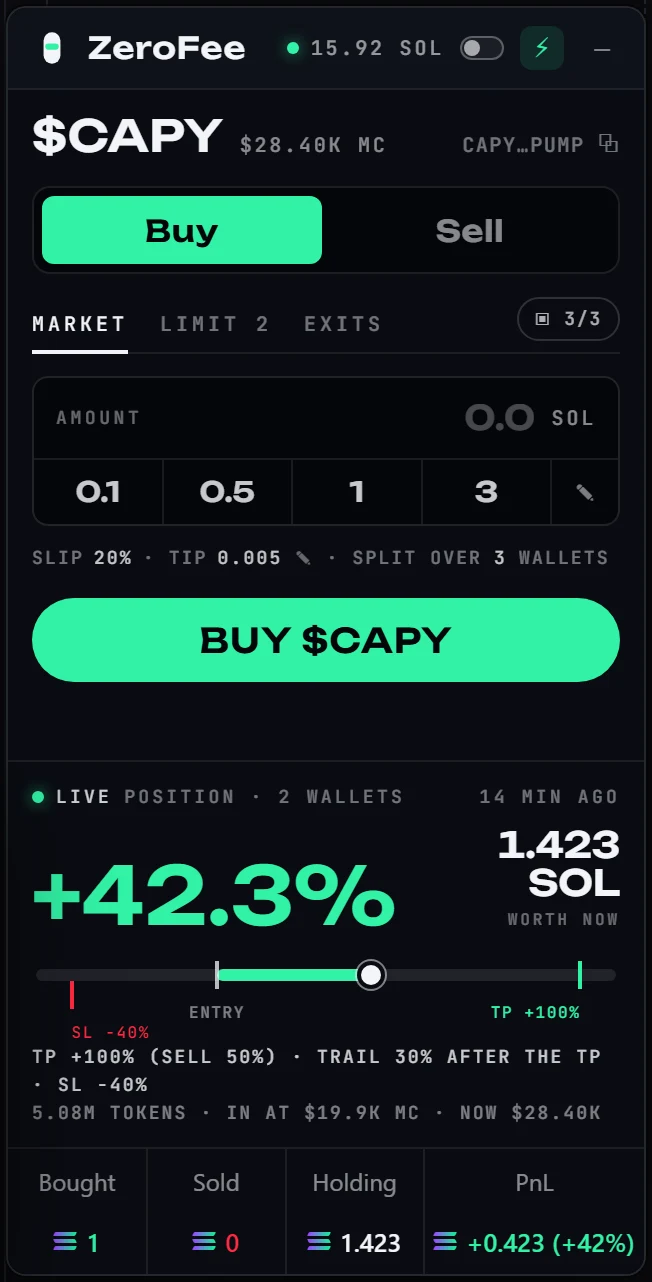
Everything a trade needs, on the page you already use.
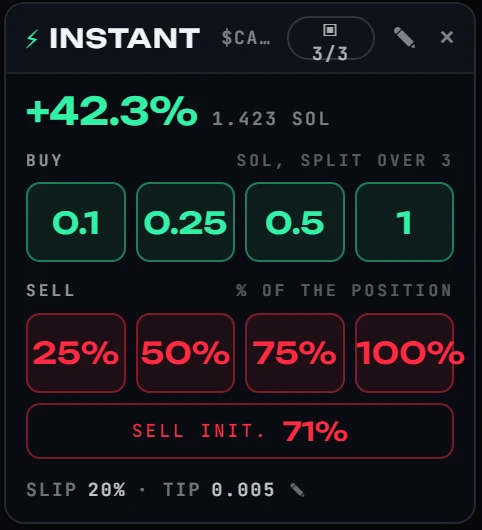
- MarketBuy in SOL, sell in percent, split over the wallets you pick. Sell init. takes back what you put in.
- LimitOrders by market cap, set from the panel or by dragging the line on the chart.
- ExitsTake profit, trailing stop and stop loss on the position, run by the bot even with the page closed.
- InstantEight cells you program, one click each: the trade goes at once.
- PulseA switch hands the page's quick buy buttons to your wallets, with the wallets you choose.
- LiveYour position read every second, your PnL kept per token, your SOL and holdings in the top bar.
The key trades. It cannot take.
Wallets live in the bot, encrypted. You can export any key, withdraw or consolidate from Telegram at any time.
The extension's key can
- Read your balances and positions
- Buy and sell with your armed wallets
- Set your slippage, your tip and your exits
It can never
- Withdraw or send your SOL
- Export a wallet key
- Change anything else. Revoke it in the bot in one tap.
Questions
Is it really zero?
ZeroFee takes nothing on any trade. The trade goes through your bot wallets, not through the trading page, so the page's fee is not charged either. You pay the Solana network fee and the priority tip you set yourself.
Which trading pages and browsers?
Axiom, in Chrome or Brave on a computer. The panel opens on a token page, and on the Pulse the quick buy switch hands the page's buttons to your wallets.
Where are my funds?
In Solana wallets held by the ZeroFee bot, each key stored encrypted. They are yours: export a key, withdraw, or move SOL between wallets from the bot.
What if the page changes?
The panel reads the token from the page's address. When it cannot tell which token a button is for, it buys nothing and says so.
How do I update it?
Download the new file, replace the files in the same folder, then press the round arrow on the ZeroFee card in chrome://extensions and reload the tab.